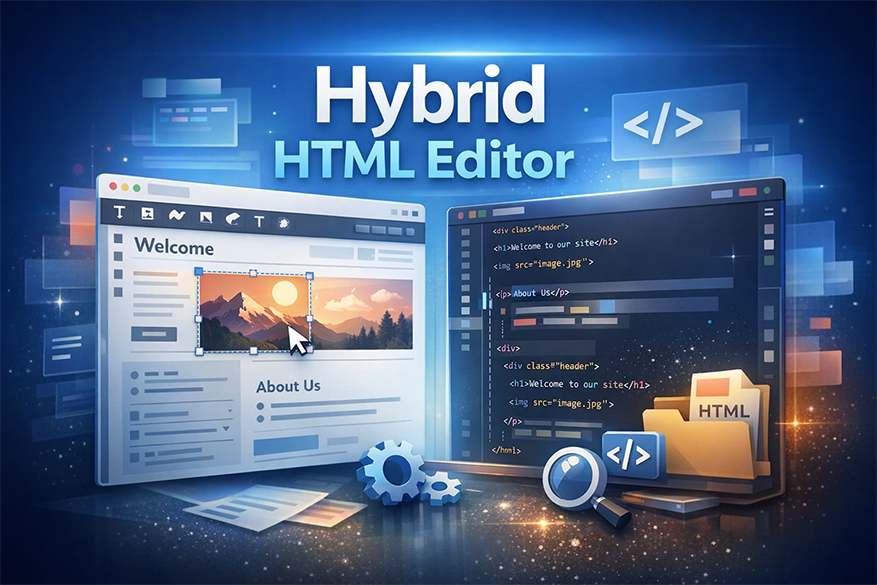
D-LENS AI Hybrid HTML Editor is built for one specific job: helping you open, edit, and save existing HTML files faster.
Most HTML tools are built for developers building websites from scratch. This editor is for people who already have an HTML file and want to change it visually while still seeing and editing the actual HTML code.
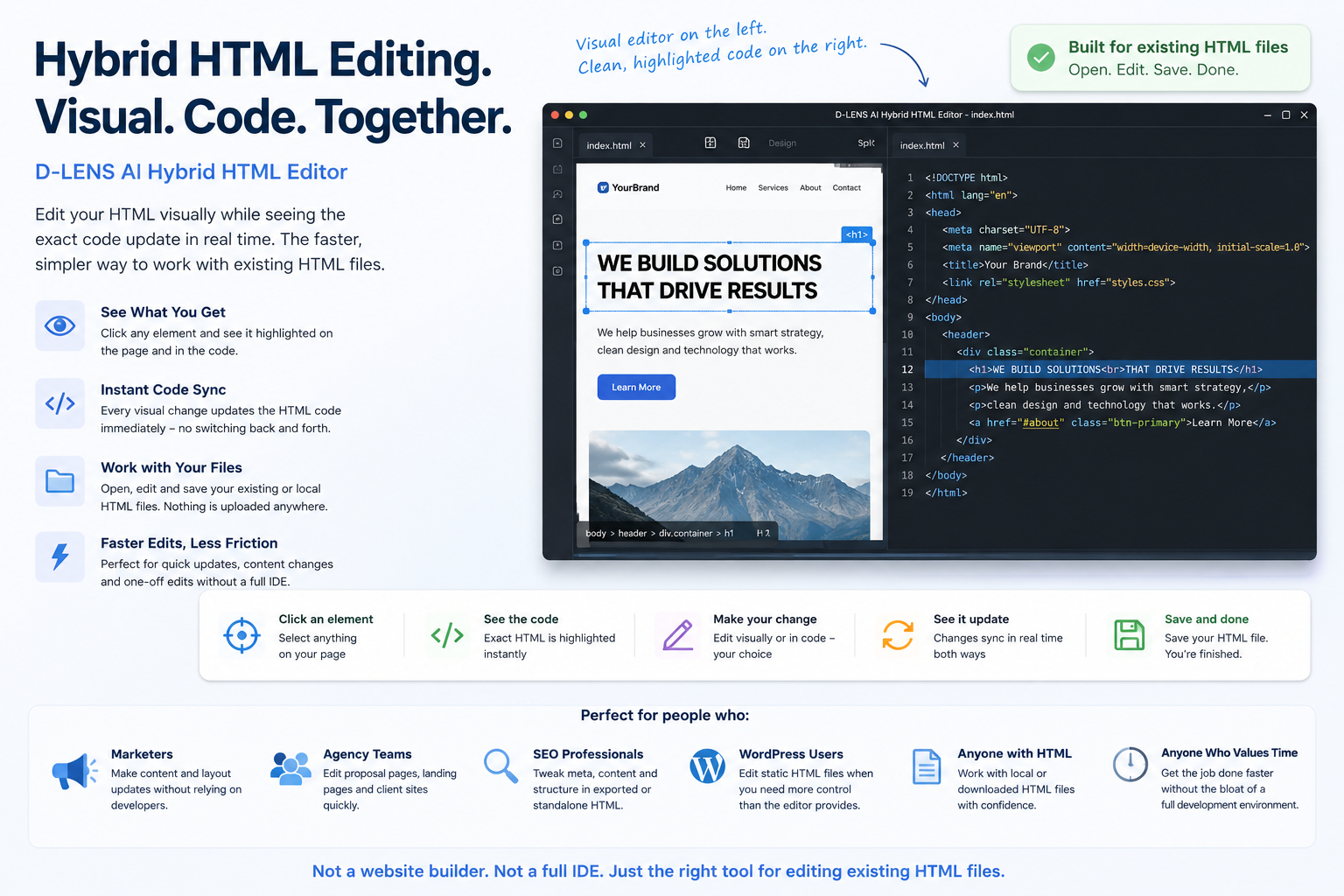
Visual editor on the left. Clean, highlighted HTML code on the right. Click an element, see the code. Edit either side. Save the file. Done.
The strength of this editor is not that it tries to replace every web development tool on Earth. Thankfully. The world has suffered enough giant software platforms.
Its strength is that it gives you a simpler, faster workflow for editing existing HTML files.
Open an existing local HTML file.
See the page visually.
See the HTML code beside it.
Click an element in the visual pane.
Find the related code more easily.
Edit visually or directly in HTML.
Save the file when you are finished.
Select text, images, buttons, links, or layout areas in the visual editor.
The related HTML is visible in the code pane so you understand what you are editing.
Edit visually or directly in code depending on what is faster.
The visual view and HTML code stay connected so you can work with less friction.
Save your HTML file and get back to the thing you were actually trying to accomplish.
D-LENS AI Hybrid HTML Editor is not trying to be the biggest tool. It is trying to be the right tool for fast edits to existing HTML files.
Use D-LENS AI Hybrid HTML Editor if you already have an HTML file and want to edit it visually and in code, side by side.
Editing existing or local HTML files with a visual editor and code editor side by side.
Visual editing and HTML code in one workflow.
Helpful for fast edits to existing standalone files.
Good fit for marketers, agencies, SEO professionals, WordPress users, and practical HTML tweakers.
Designed around opening, editing, and saving existing files.
Not intended to replace a full IDE, full website builder, or enterprise development platform.
People who need to make practical changes to existing HTML without turning every edit into a development project.
Use Dreamweaver or a full IDE if you are building and managing larger websites or complex development projects.
Editing existing or local HTML files with a visual A full professional web design environment with visual tools, code tools, site management, and mature development features.
Powerful.Established.Broad feature set.Useful for professional designers and developers who want a full web design application.
It can be more expensive, heavier, and more complex than needed for quick standalone HTML edits.
Professional designers and developers who want a mature all-in-one web design environment.
Use CodePen if you are testing front-end ideas online or sharing snippets.
Online front-end experiments, quick demos, snippets, and sharing HTML, CSS, and JavaScript ideas.
Excellent for testing ideas in the browser.Great for sharing examples.Useful for front-end learning and prototyping.
It is not designed primarily as a local-file editing workflow for existing standalone HTML pages.
Developers and learners testing front-end concepts online.
Use Bluefish if you mostly want a lightweight code-first editor.
Lightweight code-first editing with HTML-focused tools.
Fast.Lightweight.Useful for people comfortable working directly in source code.
It is more code-first and less focused on visual editing for non-developers.
Users who mainly want a text/code editor rather than a visual-and-code editing workflow.
Use FEWD Studio if you want a broader development environment.
Modern visual/code web development workflows.
Useful for structured visual development.More developer-oriented.May suit users who want a broader development workspace.
It may be more than someone needs for quick file-level edits to existing HTML.
Developers who want a broader visual development environment.
D-LENS AI Hybrid HTML Editor is strongest when you have a real file,a real edit and no desire to turn a small update into a full-stack lifestyle choice.
Change copy, CTAs, sections, and links in standalone HTML pages.
Edit HTML proposal pages and report-style deliverables quickly.
Tweak visible text, headings, links, and page sections while keeping code in view.
Work with downloaded, exported, or saved HTML files that need cleanup.
Give non-hardcore developers a cleaner way to make controlled HTML edits.
Make one-off changes without opening three tools and sacrificing a goat to CSS.
Dreamweaver is the established premium option for people who want a full visual web design workspace paired with a serious code editor.
Use Dreamweaver if:
you want a professional, mature environment for building and managing websites.
Use D-LENS AI instead if:
you mostly need fast edits to existing standalone HTML files and do not need a full development suite.
CodePen is excellent for prototyping front-end ideas, sharing examples, and testing HTML/CSS/JS snippets online.
Use CodePen if:
you are building or sharing a front-end concept in the browser.
Use D-LENS AI instead if:
your real task is opening, editing, and saving local HTML files.
Bluefish is a lightweight editor focused on fast HTML and code editing workflows.
Use Bluefish if:
you mainly want a lightweight code-focused editor.
Use D-LENS AI instead if:
you want visual editing together with code editing in one workflow.
FEWD Studio provides a broader visual/code development workspace for modern workflows.
Use FEWD Studio if:
you want a larger structured development environment.
Use D-LENS AI instead if:
you mainly need practical edits to existing HTML files.
Trust is built by saying who the product is not for. Wild concept, apparently still legal.
Edit existing HTML files visually and in code, side by side. Download the demo and see whether it saves you from opening three tools, muttering at your screen, and pretending that was “workflow.”